Variables Are Labeled Boxes
About this lesson, for parents and teachers
Every game remembers your score, your lives and your coins. It keeps them in labeled boxes called variables. Step through the programs and predict what ends up in each box.
Ages 9–11 · about 7 minutes · builds on Algorithms Are Recipes · leads to If/Else: Run the Traffic Lights, Functions Are Input-Output Machines
Try this
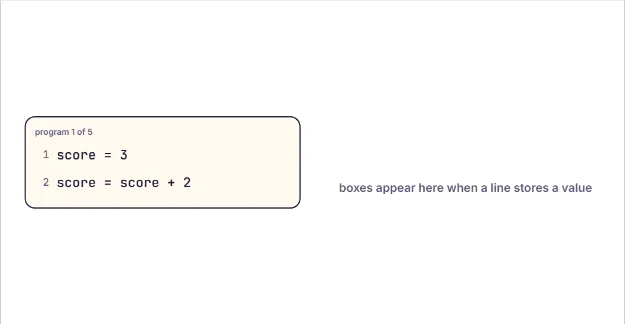
- Press Step to run one line. Watch the value drop into the box with the label.
- Read each new program and pick what the asked-for box holds at the end.
- Wrong guess? Press Reset boxes and step through it line by line.
- In the last program, find out how a third box helps swap two values.
How it works
A variable is a named place in the computer's memory. Think of a box with a label on it. The line score = 3 means: find the box called score (make it if it is new) and put 3 inside. The = sign in code does not mean "is equal to" like in math. It means store.
A box holds only one value at a time. When you store a new value, the old one is thrown away. That is why the old card tumbles out in the animation. So after coins = 10 and then coins = 6, the box only remembers 6. There is no undo: if you still need the old value, copy it into another box before you replace it.
The computer always works out the right side first. In score = score + 2 it reads the box (3), adds 2 to get 5, and only then stores 5 back into the same box. Reading a box makes a copy: the value stays in the box, which is why the floating card is a copy.
y = x copies the value that is in x right now. If x changes on a later line, y keeps its old copy. Programmers trace code exactly like you did: line by line, writing down what is in each box. To swap two boxes, you need a third one (often called temp or t) so a value is not lost.
Where engineers use this
Every app uses variables: a game stores your score and position, a music app stores the current song and volume, and a map app stores where you are. Programmers use debuggers that show every variable's box while code runs, just like this lesson.
Words to know
- Variable
- A named box in memory that holds one value, which can change while the program runs.
- Assignment
- A line like score = 5 that stores a value in a variable.
- Value
- The thing stored in the box, such as the number 5.
- Trace
- Running a program by hand, line by line, writing down what each variable holds.
Talk about it
Goal: Store, change and read values in labeled boxes, and trace what a short program does.
- What things does your favourite game need to remember while you play? What would you name those boxes?
- Why does score = score + 1 make sense in code but not in a maths class?
- How would you swap the drinks in two cups without a third cup?
Without a screen: Label three paper cups or small boxes a, b and t, and write numbers on sticky notes. Read a short program aloud (a = 7, b = 3, t = a, a = b, b = t) and have your child move or copy the notes for each line. A value that is replaced gets crumpled up.
Curriculum links: CSTA K-12 1B-AP-09 (create programs that use variables to store and modify data) and 1B-AP-12 (modify, remix or incorporate portions of an existing program)
Questions
What is a variable in coding for kids?
A variable is a labeled box in the computer's memory that holds a value, like a score or a name. The program can read the box, and it can replace what is inside with something new.
Why does score = score + 1 work in code?
In code, = means "store", not "equals". The computer first reads the box and adds 1, then puts the answer back into the same box, so the score goes up by one.
What does y = x do?
It copies whatever is in x right now into y. The two boxes are separate afterwards, so changing x later does not change y.