Letters Are Numbers Inside a Computer
About this lesson, for parents and teachers
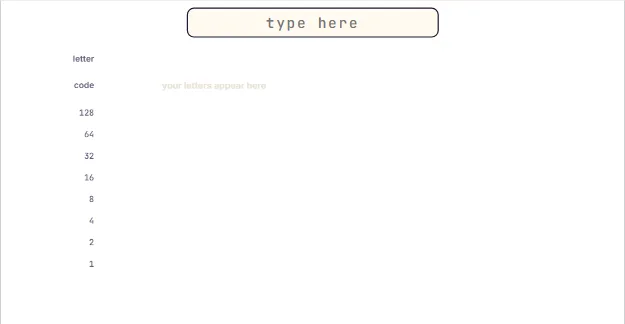
A computer cannot store the letter A. It can only store numbers. So how does it remember your name? Type it and watch every letter turn into a number, then into bits.
Ages 9–11 · about 6 minutes · builds on Counting With Light Bulbs: Binary
Try this
- Tap the box at the top and type your name. Each letter shows its number and its 8 bits.
- Crack the secret message 67 65 84 by typing the word it spells.
- Type a capital A and a small a. How far apart are their numbers?
- Decode two bytes of pure binary using the place values 128, 64, 32 and so on.
How it works
Computers only store numbers, so people agreed on a code: every character gets its own number. In this code, called ASCII, capital A is 65, B is 66, and so on up to Z at 90. A space is 32 and the digit 0 is 48. Because the codes go up in alphabet order, a computer can sort words by comparing their numbers.
Small letters have different numbers: a is 97, b is 98. Every small letter is exactly 32 more than its capital. In binary, 32 is a single bit, so changing a letter between capital and small flips just one bit. That is why computers treat Cat and cat as different words.
Each number is stored as 8 bits, called a byte. The bit columns are worth 128, 64, 32, 16, 8, 4, 2 and 1, just like light bulbs worth doubling amounts. A = 65 = 64 + 1, so its byte is 01000001. Add the place values with a 1 to turn any byte back into a number, and then into a letter.
ASCII only has 128 characters, which is not enough for every language or for emoji. Today computers use Unicode, which gives a number to over 150,000 characters. The first 128 Unicode numbers are the same as ASCII, so A is still 65, but an emoji needs more than 8 bits.
Where engineers use this
Every text message, web page and line of code is stored as character numbers. Programmers use these codes to sort words alphabetically, check passwords, and make sure messages look the same on every phone in the world.
Words to know
- Character code
- The number a computer uses to stand for a letter, digit or symbol.
- ASCII
- An early standard code that gives the numbers 0 to 127 to English letters, digits and symbols.
- Byte
- A group of 8 bits, enough to store a number from 0 to 255.
- Unicode
- The modern code that gives a number to characters from every language and to emoji.
Talk about it
Goal: Type a word and see each letter turn into a number and then into binary.
- Why would a computer need different numbers for capital and small letters?
- If A is 65, what number do you think the letter E is?
- How could you send a secret message to a friend using only numbers?
Without a screen: Write the alphabet with A = 65 up to Z = 90 on a strip of paper. Take turns writing secret words as numbers for each other to decode. For a challenge, write one letter as 8 boxes worth 128, 64, 32, 16, 8, 4, 2, 1 and shade the boxes that add up to its number.
Curriculum links: CSTA K-12 1B-DA-05 (store, copy, search, retrieve, modify and delete information) and 1A-DA-05 (data representation); AP Computer Science Principles DAT-1.A (bits represent data such as text)
Questions
How do computers store letters?
Each letter is given a number by an agreed code such as ASCII or Unicode, and the number is stored in binary. For example, capital A is 65, which is stored as the byte 01000001.
What is ASCII for kids?
ASCII is a table that matches letters, digits and symbols to numbers from 0 to 127. Capital letters run from 65 (A) to 90 (Z) and small letters from 97 (a) to 122 (z).
How do you turn text into binary?
Look up each character's number, like H = 72, then write that number in binary using the place values 128, 64, 32, 16, 8, 4, 2 and 1. 72 is 64 + 8, so H is 01001000.